The Watch app is not installed
- Open the Watch app on your iPhone.
- Tap My Watch, then scroll to Available Apps.
- Find PhoneTether and tap Install.
- Open PhoneTether once on the Watch.
 PhoneTether
We’ll get you protected
Start here if you are installing PhoneTether or if your Watch is not warning you as expected.
First-time setup
Install PhoneTether on your iPhone and its companion app on your paired Apple Watch.
Keep your iPhone and Watch nearby for the first connection.
On Apple Watch, scroll to Finish setup, tap Turn on notifications, then tap Allow when the Watch asks.
When the iPhone says You’re protected, PhoneTether is ready.
New Watch-face widget
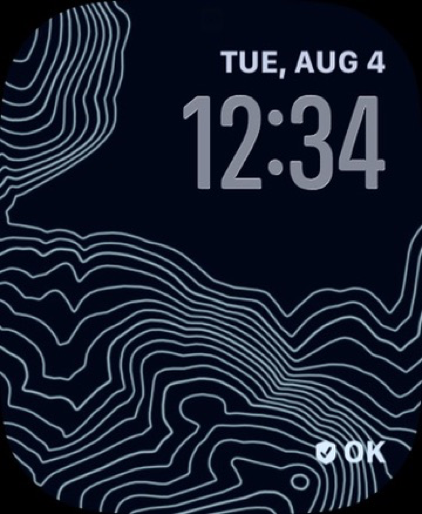
PhoneTether now includes an optional Apple Watch complication—the small widget that appears on your Watch face. It shows whether your Watch is ready to warn you if this iPhone is left behind.
PhoneTether cannot add it automatically. Apple Watch face layouts belong to you, so this one-time step must be completed on your Watch.
Quick fixes
PhoneTether detects Bluetooth-link loss, not exact distance. Walls, interference, device state, and watchOS background behavior can change when a warning arrives. You can adjust the grace period in Alert & app settings.
Before relying on it
Leave your iPhone in a secure place, keep your Watch on, and walk away until the Bluetooth link is lost. Confirm the Watch alerts, then return and confirm protection reconnects.
PhoneTether is an extra reminder, not a guarantee. Apple Watch settings and operating-system behavior can affect alert timing, sound, and background delivery.
Still stuck?
Email us and include your iPhone model, Apple Watch model, iOS and watchOS versions, and the PhoneTether version shown under Troubleshooting.